How Bhava keeps fake profiles out: phone, face and a second look
People ask me one question more than any other: "Is everyone on Bhava real?" I can't promise that no one will ever try to cheat. Nobody honestly can. What I can do is show you, screen by screen, what every member goes through before they reach a single Drop, and what happens when someone slips through anyway.
Why this matters so much
Fake profiles are not a small annoyance. In a 2026 McAfee survey, 77% of people in India said they had come across fake profiles or AI-generated photos on dating apps. (McAfee Modern Love report, 2026) And a 2024 Forbes Health survey found that 78% of dating app users feel burnt out at least sometimes. (Forbes Health survey, 2024) I wrote about that tiredness in attention vs connection. A big part of it is never being sure who is on the other side.
So we built Bhava around one rule: you should only ever be introduced to real people who are who their photos say they are. Here is how we try to hold that line.
Step one: your phone number
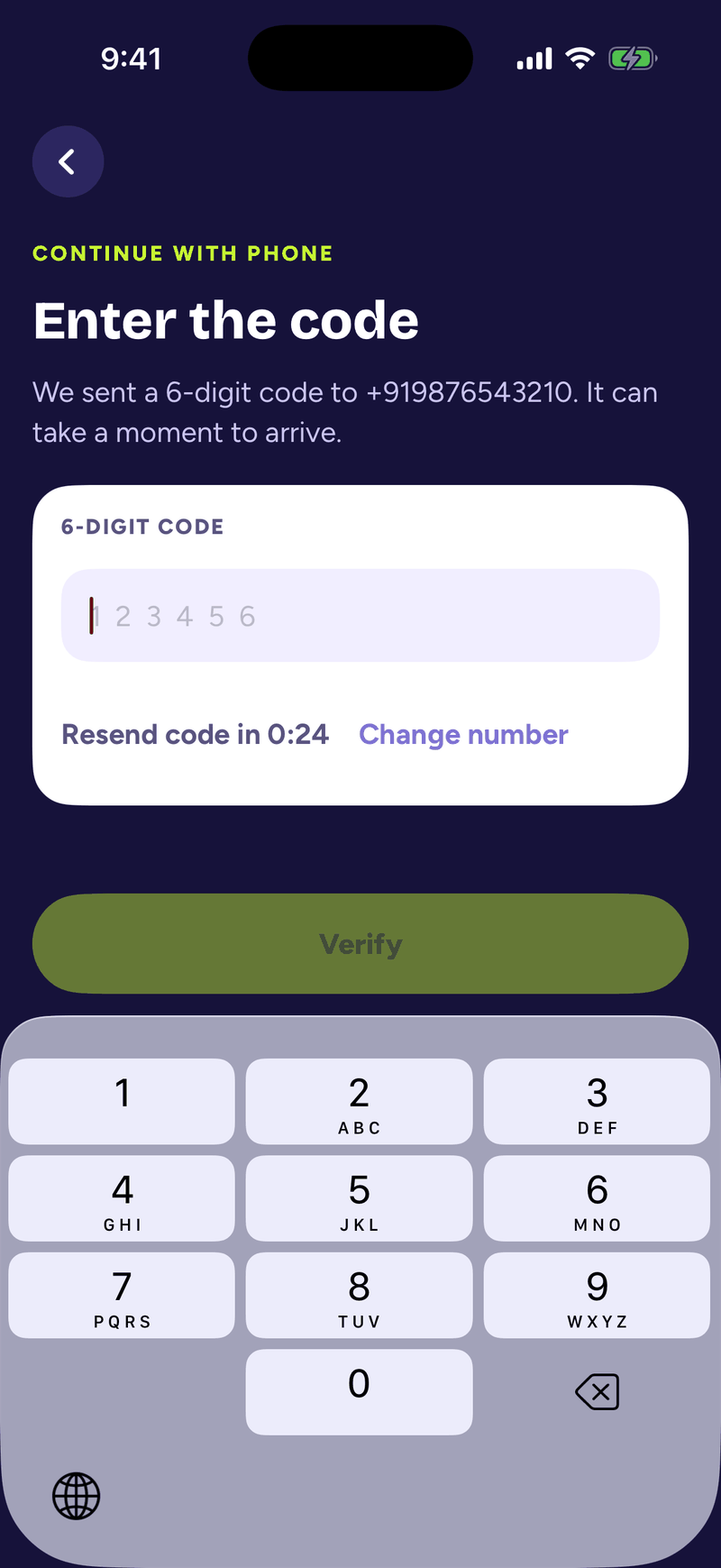
To finish signing up, every member verifies a phone number with a one-time code sent by text. One number belongs to one account. It does not stop every bad actor in the world, but it means a person cannot spin up endless throwaway accounts, and it gives us a real way to reach someone.
Step two: no Drops until your face is verified
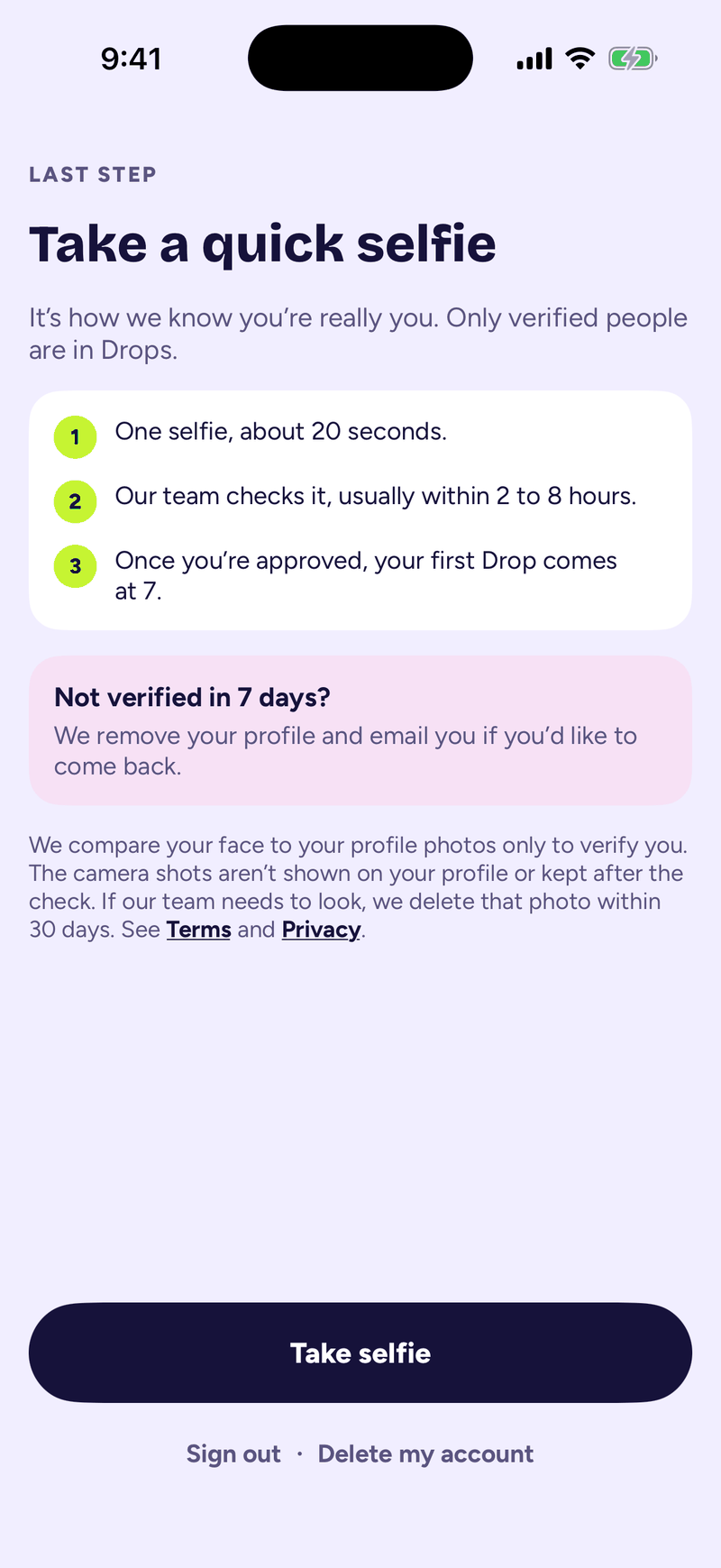
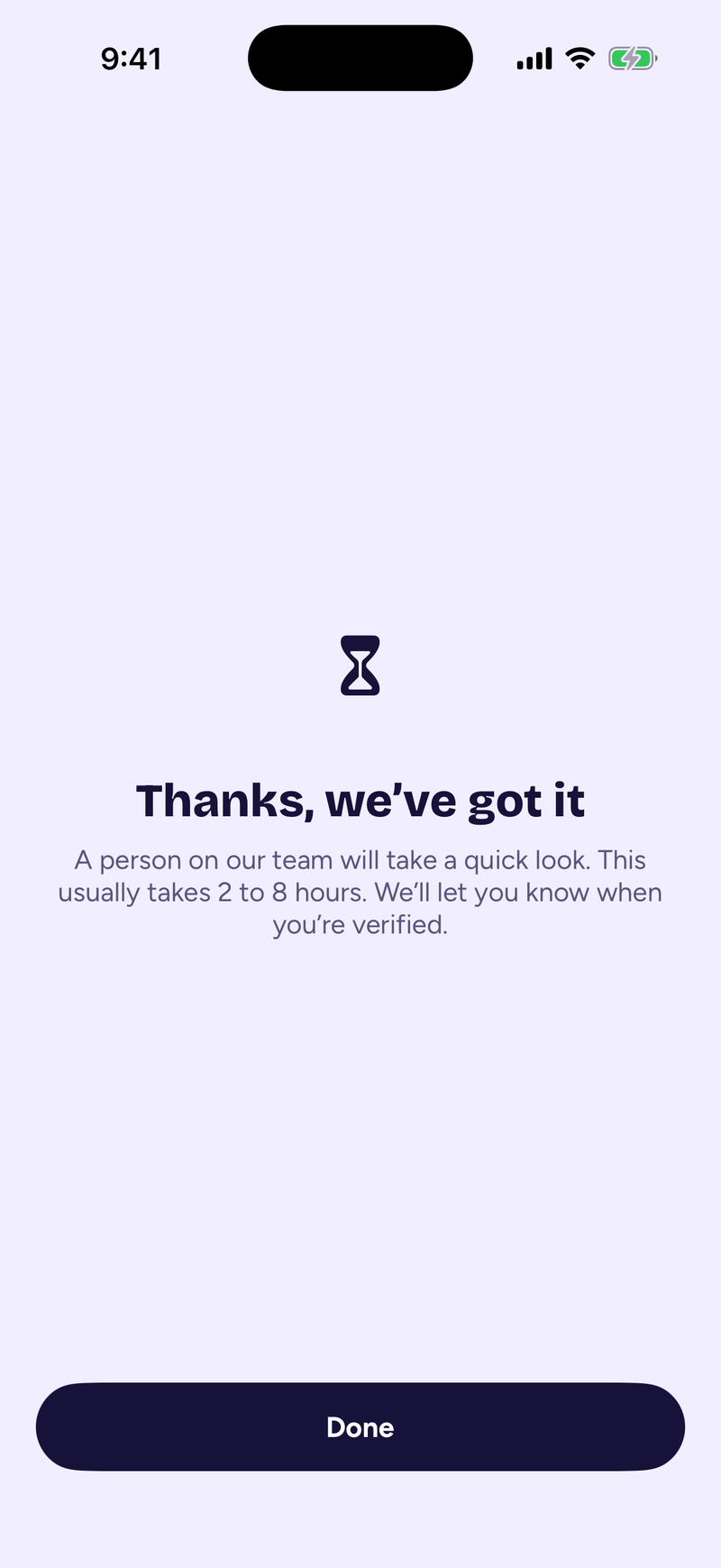
This is the part I care about most. Since late October, every member, man or woman, in every city, has to verify their photos before they see anything else. Until you are verified, the app shows you one screen: take a quick selfie. No Drop, no likes, no chats. Nobody sees you either. There is no "do it later" on that screen.
If someone never verifies, their profile does not stay around. After seven days we remove it and send an email in case they want to come back.
How the face check works
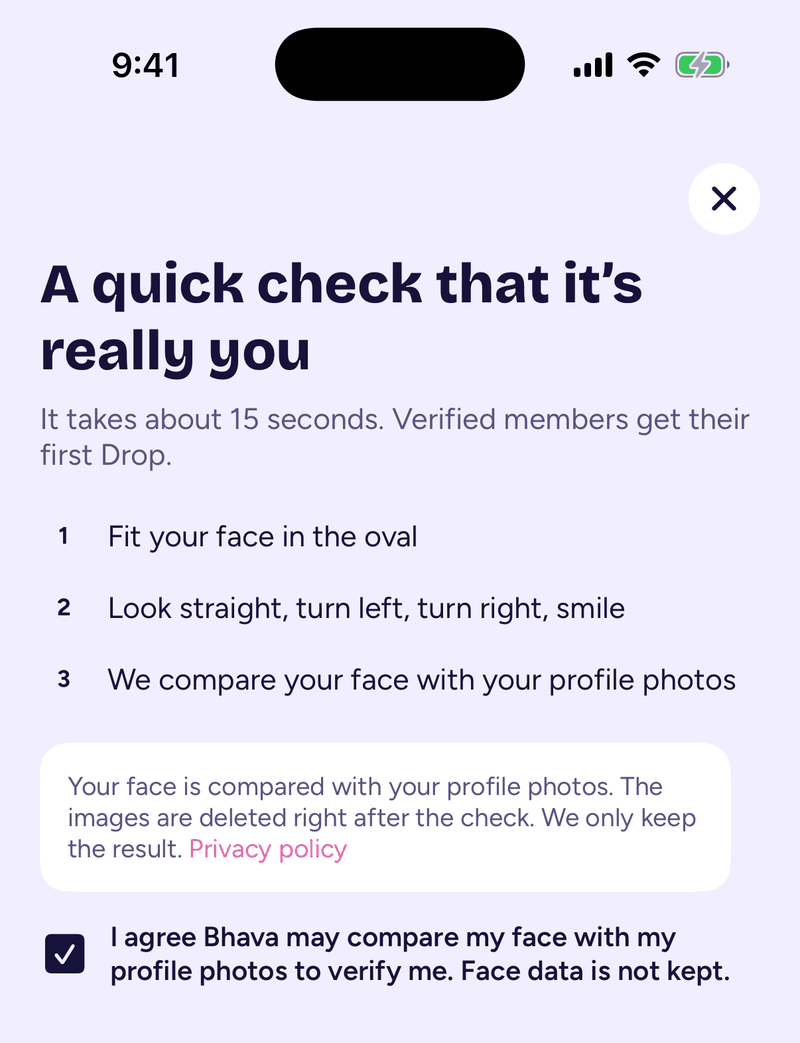
The check takes about fifteen seconds. Before it starts, you tick a box to say you agree to it. Then you make four quick moves for your phone's front camera: look straight, turn left, turn right, and smile.
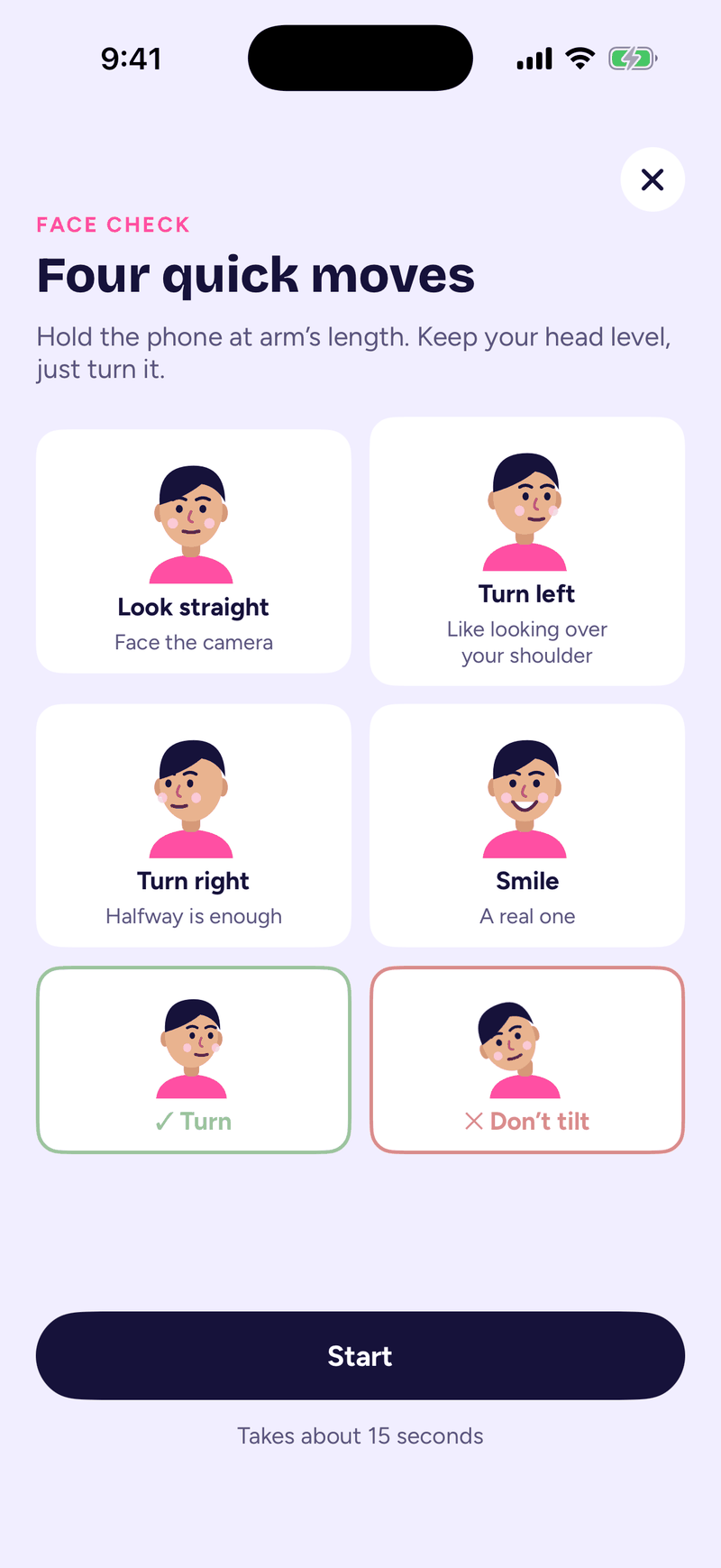
Why the moves? A printed photo or a picture on another screen cannot turn its head and smile on cue. Your phone checks that a real face is making those moves, on the phone itself (on iPhone with Apple's Vision framework, on Android with Google ML Kit).
Then our own face check service compares the straight-on frame with the photos on your own profile. It answers one question: is this the same person? It does not search for you anywhere else, and it does not compare you with other members. It gives back a score.
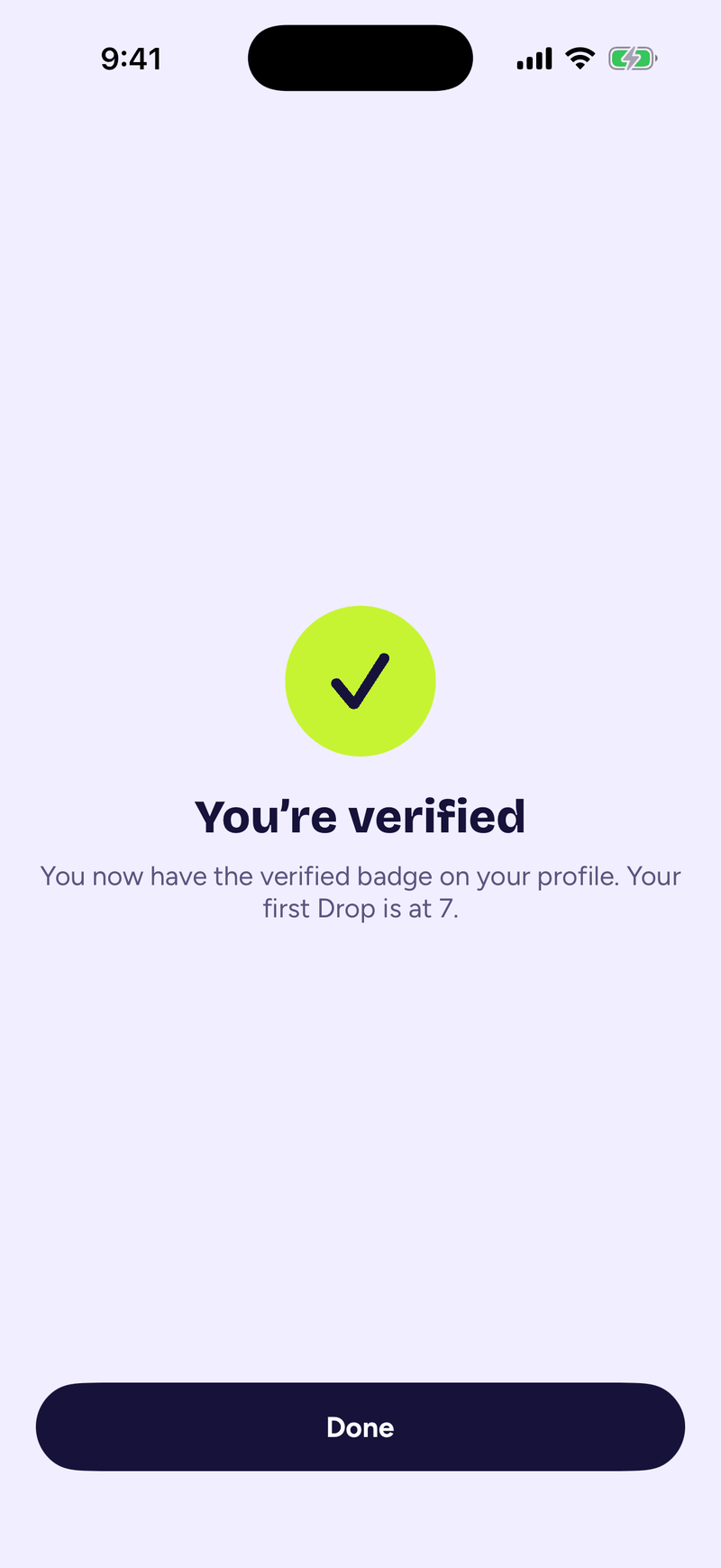
- A strong match: you are verified on the spot and get the verified badge.
- Not a match yet: you are asked to try again. Bad light and a tilted head cause most of these. You get up to six tries a day.
- Still not working after that: a person on our team looks at it, and you can send a selfie for us to review by hand instead.
What happens to your face data
I know a face check can feel like a lot to ask. So here is exactly what we keep, in the words of our privacy policy (Section 12): the face template made from your photos "is discarded within the same request. It is never stored, and it is never sold, leased, traded, or shared with anyone."
The camera frames are not kept either. The one exception: if your check goes to our team, the straight-on frame is kept only until someone has reviewed it, and never more than 30 days. What stays on your account is the score and the result.
A second look at gender
A face check on its own only asks "same person?". Someone could pass it with their own photos while setting their profile to the wrong gender. So the check also makes a quiet estimate of gender from the frame, without being told what the profile says. If the estimate is very confident and it does not match the profile, the result does not go through automatically. It goes to a person on our team instead. It is never an automatic rejection, just a second pair of eyes.
Every photo is screened
Every photo uploaded to Bhava is screened by Google Cloud Vision's SafeSearch for explicit or violent content. Photos that fail are kept off profiles. During sign-up the app also points out a photo that has no face, more than one face, or looks like a drawing or a pet, and asks for a clear photo of you.
When one slips through: report it
No system is perfect, and I would rather tell you that than pretend. If a profile in your Drop looks fake to you, tap the menu on their profile and choose Report. The first reason on the list is "This profile looks fake".
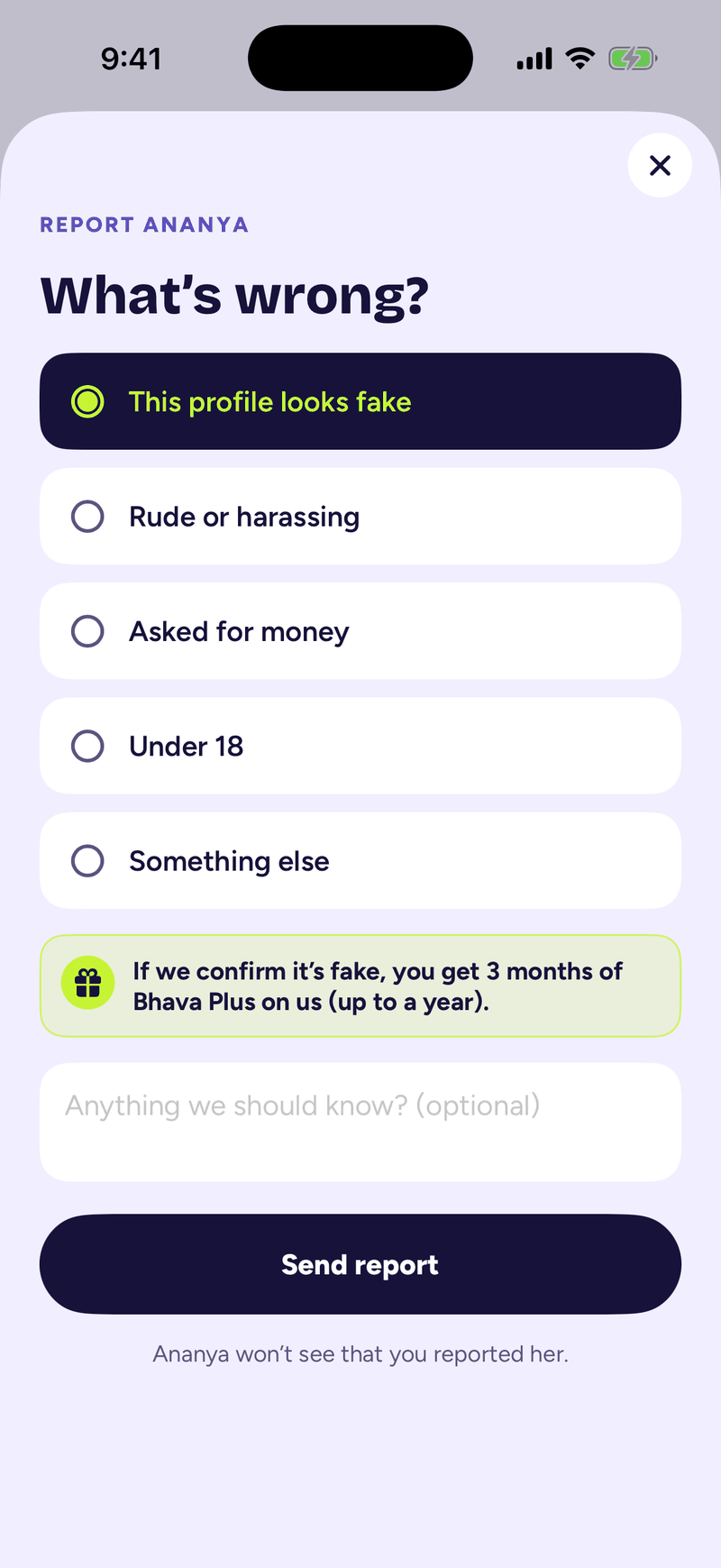
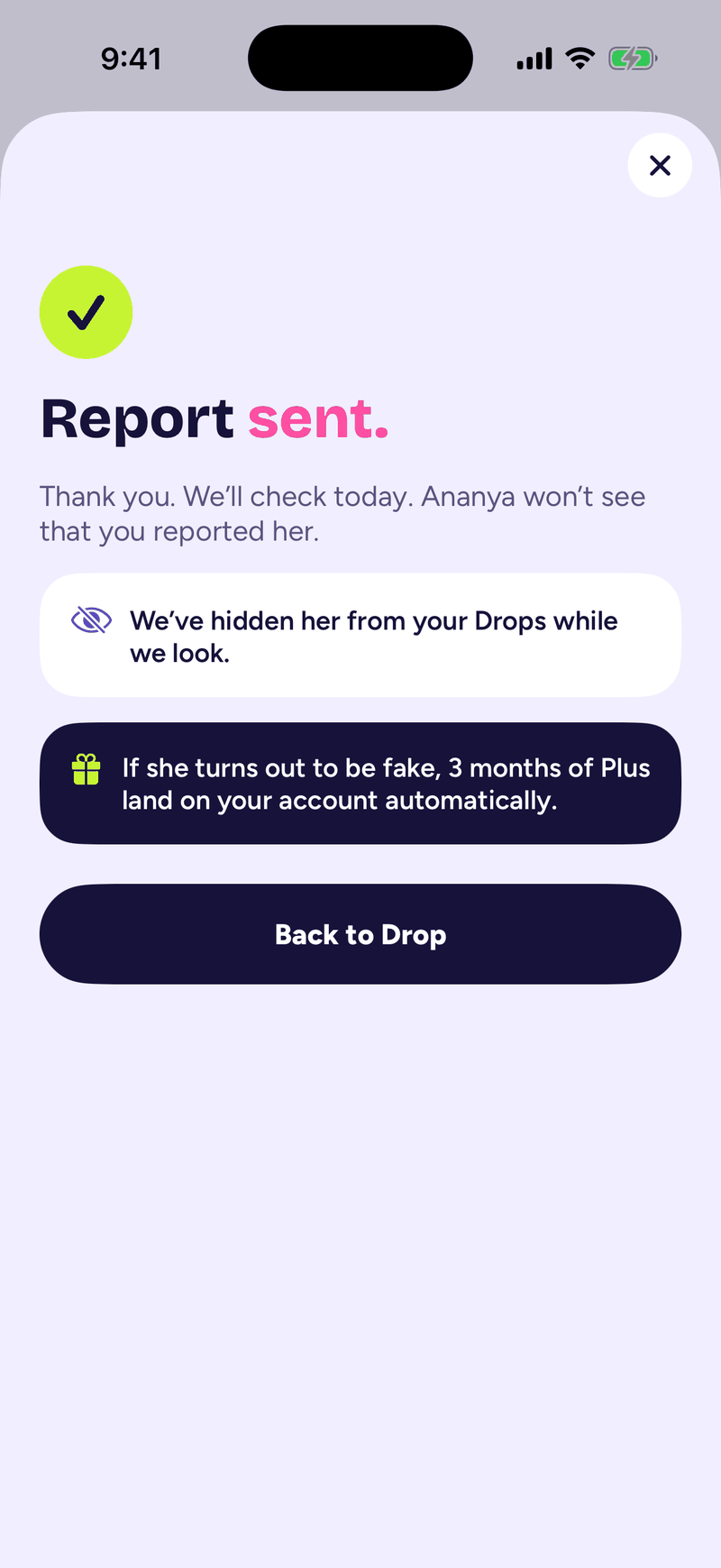
The moment you send it, that person is hidden from your Drops while we look. They are never told who reported them. Our team checks every report. If we confirm the profile is fake, it is taken off Bhava.
And something new we are adding: if we confirm it is fake, you get 3 months of Bhava Plus on us, up to a year in total. You helped keep Bhava real for everyone, and that deserves a thank you.
What I can promise, and what I can't
I can't promise that no one will ever get a fake profile past us. Anyone who promises that is selling something. What I can promise is that a fake has a very hard time here. They need a real phone number. They need a face that moves on camera and matches the photos. They need to get past a person when anything looks off. And if they still make it into someone's Drop, one tap puts them in front of our team.
That is also part of why your Drop can be small on some evenings. We would rather show you nobody than someone who isn't real. (More on that in why your Drop might be empty.)
If you want to see how the rest of Bhava works, start with how it works. And if you ever see something that doesn't feel right, report it. We read every one.
Bhava notes
One good read on Kundali and marriage, once a month.
An essay or a guide in your inbox each month. No promotions. Unsubscribe in one click.