Share with family
Share your profile with your family
Rishtas get passed around the family anyway. Bhava makes something proper to send, from the profile you already filled in: a profile PDF to print, the same introduction as one photo, and a card about a match. You choose what goes out and who gets it. All in the app, on iPhone and Android.
Three ways to share
Send it to the family group, straight from the app
Your parents want something they can forward, print or show the pandit. Here’s where to find each one in the app.
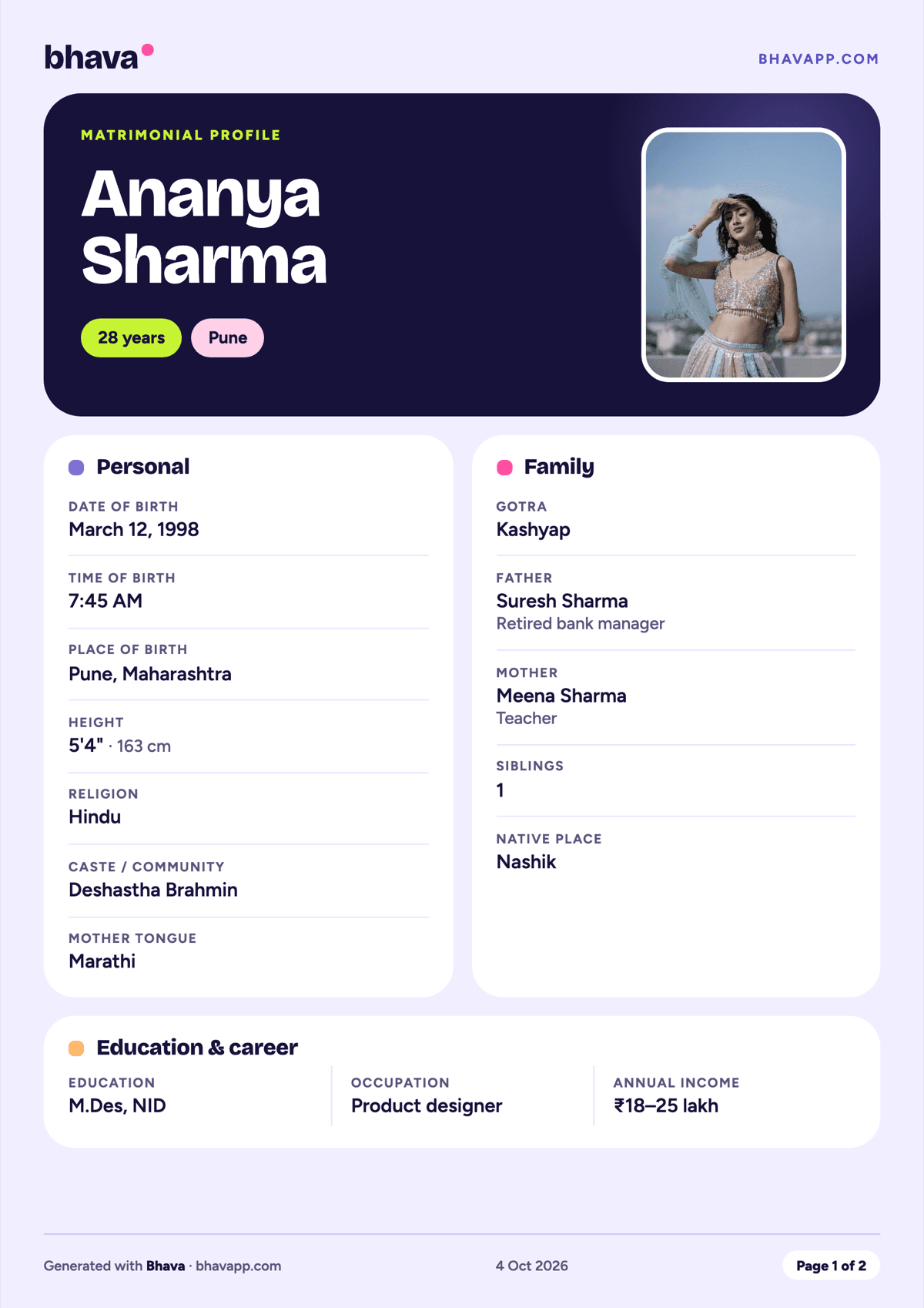
Way 1: Your profile PDF
Your matrimonial profile as a neat PDF: photos, Kundali and family details, laid out the way relatives are used to reading one. Families print it and pass it on.
In the app: You, then Family, then Your profile PDF, then Share
Preview it free · sending it comes with Plus
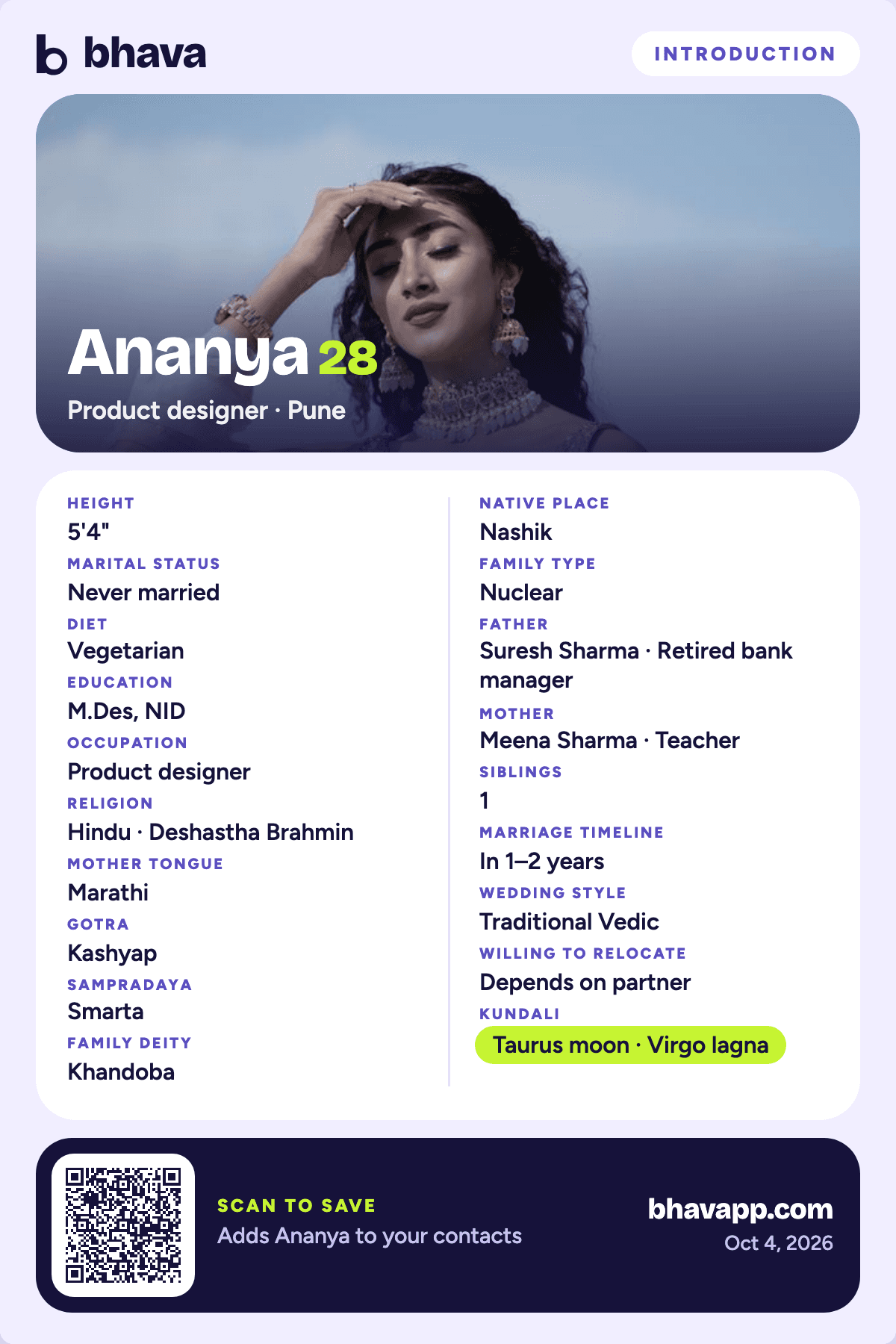
Way 2: Share as a photo
The same introduction as one picture, made for WhatsApp. It’s all about you, from the profile you filled in: your photo, what you do, where you’re from and your family.
In the app: You, then Family, then Or share as a photo
Free
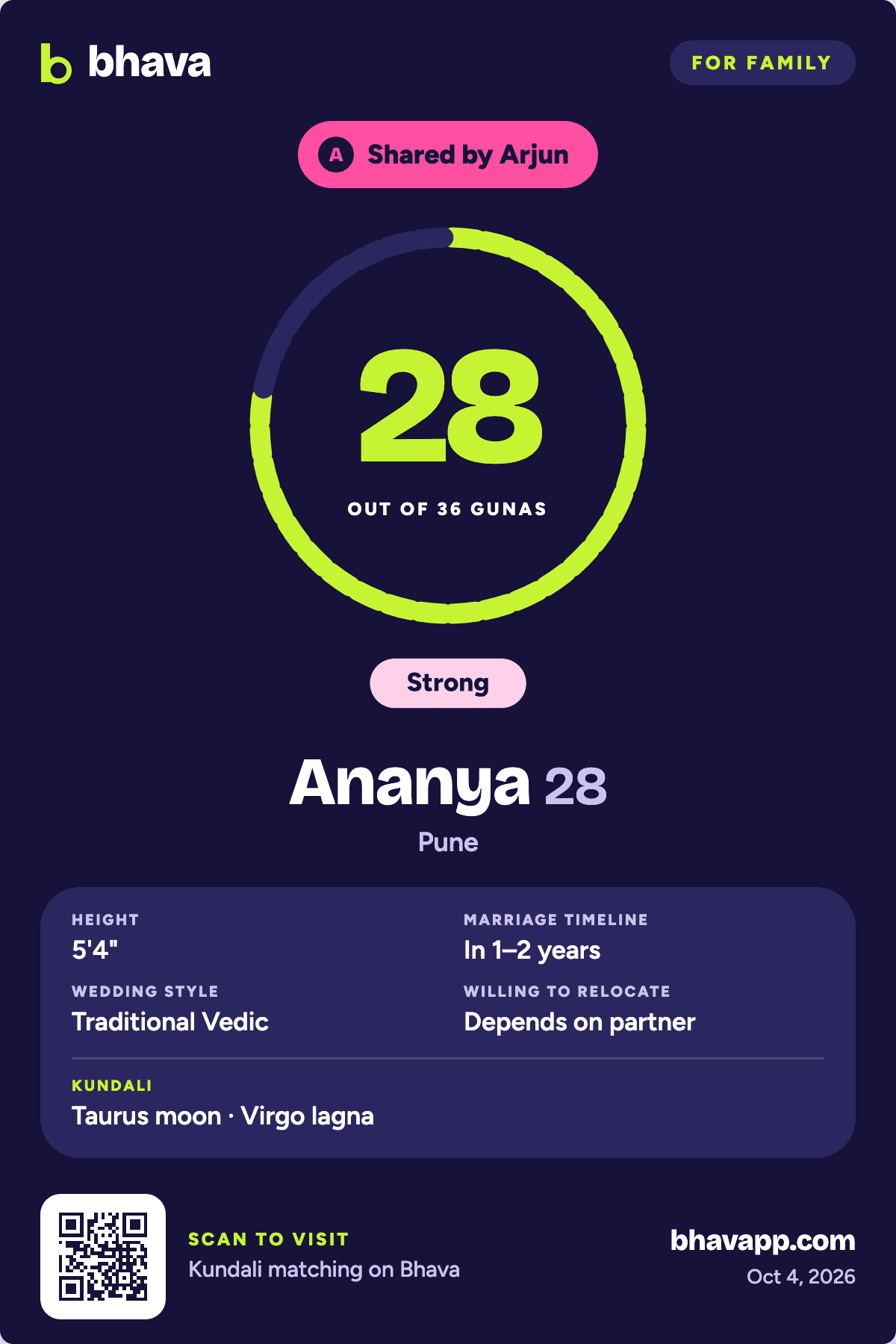
Way 3: Share a match
Matched with someone your parents should hear about? Send them a card with your Kundali score together. It never has their photos or contact details.
In the app: You, then Family, then Share a match with family
Free
The parents’ view
Want family to see matches as they happen?
Invite a parent or sibling from You › Family, and they join with a private code. In their own view they see your matches and scores, can check a rishta someone sent them, leave you private notes and suggest people. They can never message anyone, pose as you or read your chats, and you can remove them any time. One family member is free; Plus allows up to five.
The short answer
How do I share my profile with my family?
In the app, on iPhone or Android, go to You, then Family. Under Your profile PDF, tap Preview to see your matrimonial profile, then Share to send it as a PDF (sending it comes with Plus). Or tap Or share as a photo to send the same introduction as one picture, free. To tell family about a match, use Share a match with family: the card shows your Kundali score and a few details, never their photos or contact details. You can also invite a parent to the parents’ view with a private code.